

SelectSee: real estate software development
Real estate software development for SelectSee: an interactive unit selector running 96 units across a rental and a for-sale development in Switzerland.
At a glance
| Measure | Value |
|---|---|
| Residential units on the platform | 96 |
| Rental development | 75 units |
| Development for sale | 21 villas |
| Commercial models on one product | Rental and sale |
| Interface languages | French, English, German |
The problem
Residential developers and their sales teams usually keep property information in several places at once: spreadsheets for availability and pricing, PDFs for floor plans, folders of images, the website, and internal systems. Every change has to be made in each of them, and the copies drift apart.
Buyers and tenants feel the same fragmentation from the other side. Working out which units are available, comparing two of them or finding the right floor plan can mean opening several documents, or contacting the sales team before any real qualification has happened.
SelectSee, a Swiss company selling software to developers, property managers, agencies and general contractors, wanted one product that holds this information centrally and presents it well, flexible enough to serve very different residential developments instead of being rebuilt for each one.
What we did
We engineered the platform around the structure of a development itself. Buildings contain floors, and floors contain individual units. Each unit carries its own availability, status, price, images, floor plan, documents and media, maintained by the project team from one administration area, so the website and the sales team always show the same information.
Visitors start from an interactive site plan that shows availability by color, then move through buildings and floors to individual units, or use filters for unit type, surface area, floor, price and availability. Every unit has its own detail sheet that brings together its floor plan, price, images, documents and, where a project has them, 2D and 3D plans, panoramic images and 360-degree tours.
Visitors can compare units side by side and save favorites, which supports the way people actually choose a home rather than presenting an inventory table. Enquiries are contextual: a request sent from a unit sheet arrives linked to that unit, so the sales team knows what the person was looking at before they reply.
The project team sees consultation statistics, including which units are viewed, compared and downloaded most, so interest shows up before anyone picks up the phone. The interface works across desktop, tablet and mobile, is available in French, English and German, and can be embedded in a developer's existing website or run as a standalone site on its own domain.
What changed
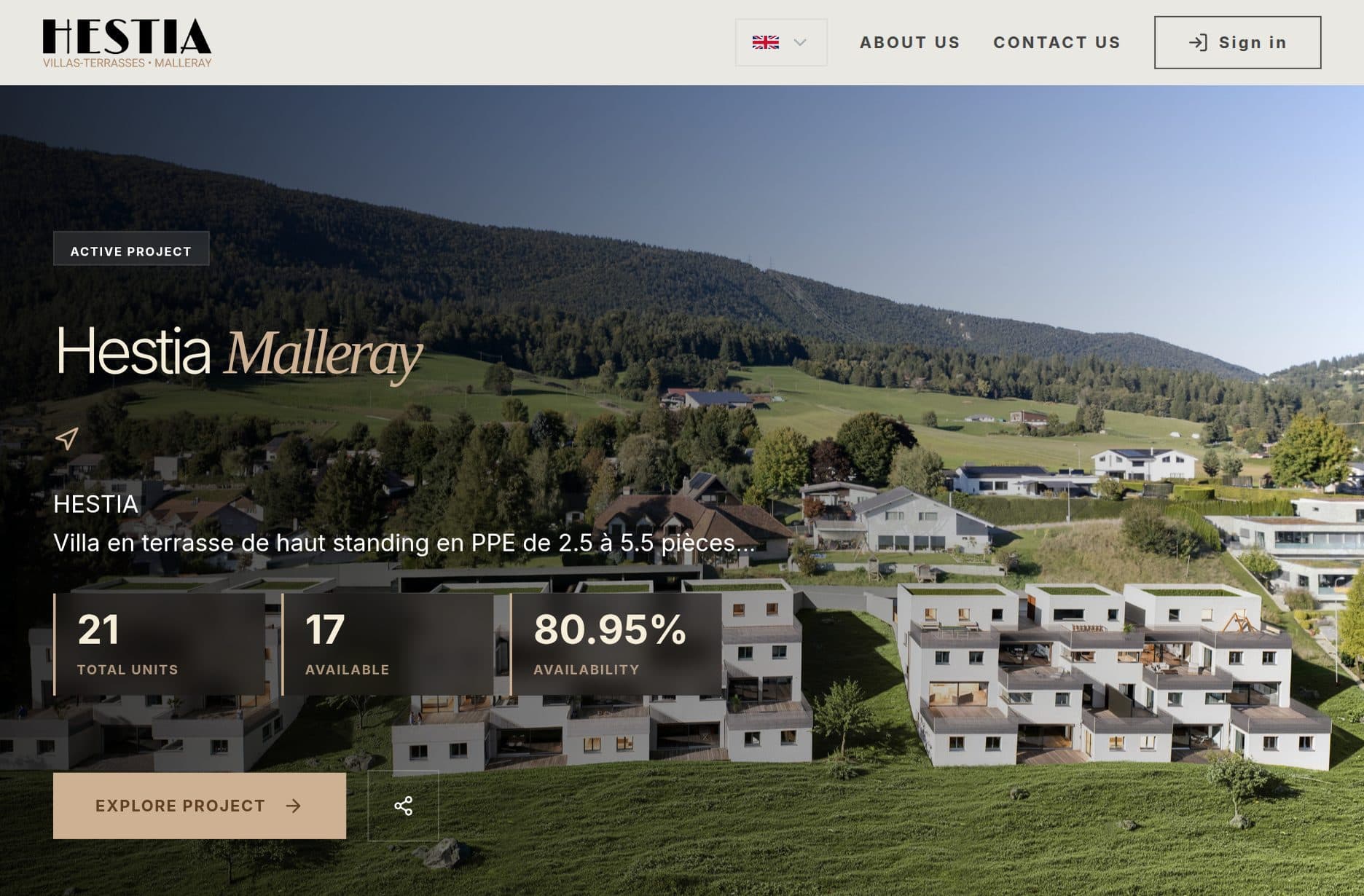
The same product runs two residential developments with different commercial models. One is a 75-unit rental development in central Geneva, where visitors search across several apartment configurations from a single interface. The other is a development of 21 villas for sale, where buyers can see the layout of the site, find available villas, compare them and open the information for each one.
That is 96 units across a rental model and a sales model on the same underlying product architecture, which was designed to accommodate different project sizes, property types and commercial models. Property teams keep core information in one system, and prospective buyers and tenants get a clearer route from first look to a qualified enquiry about a specific unit.
Services involved
Related case studies
Working on something similar?
Tell us what you are building, or book a call and talk it through.